ScreenTame puts a deliberate pause between you and the apps that pull you away. You choose the apps. You choose the limits. It holds you to them.
What it does
Most screen time tools report on you after the fact. ScreenTame steps in at the moment you reach for the app — the only moment that actually changes anything.
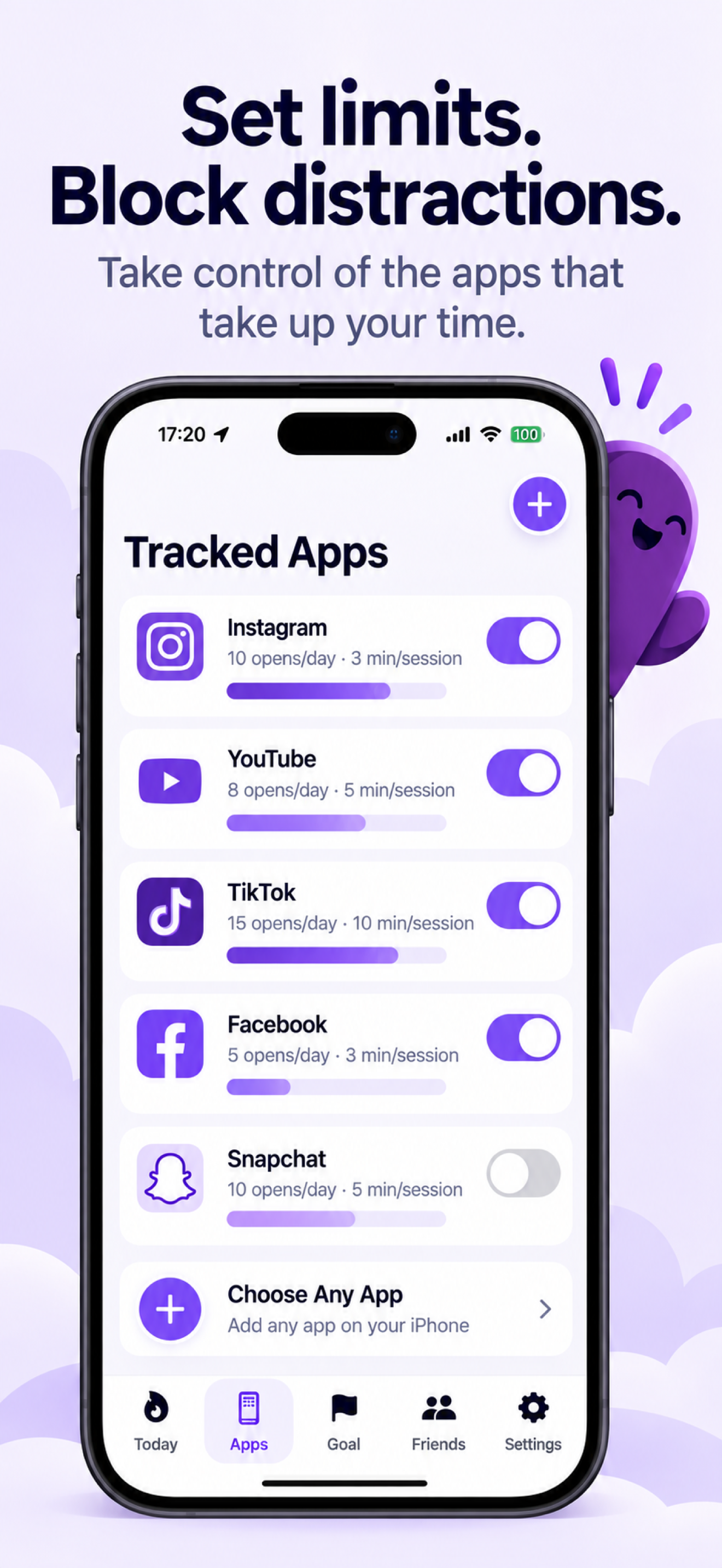
Set how many times a day you may open each app. Hit the limit and a shield appears in its place — not a notification you can swipe away.
Every unlock costs a short wait before the app opens. Long enough to notice you're doing it, short enough that it never traps you out of something urgent.
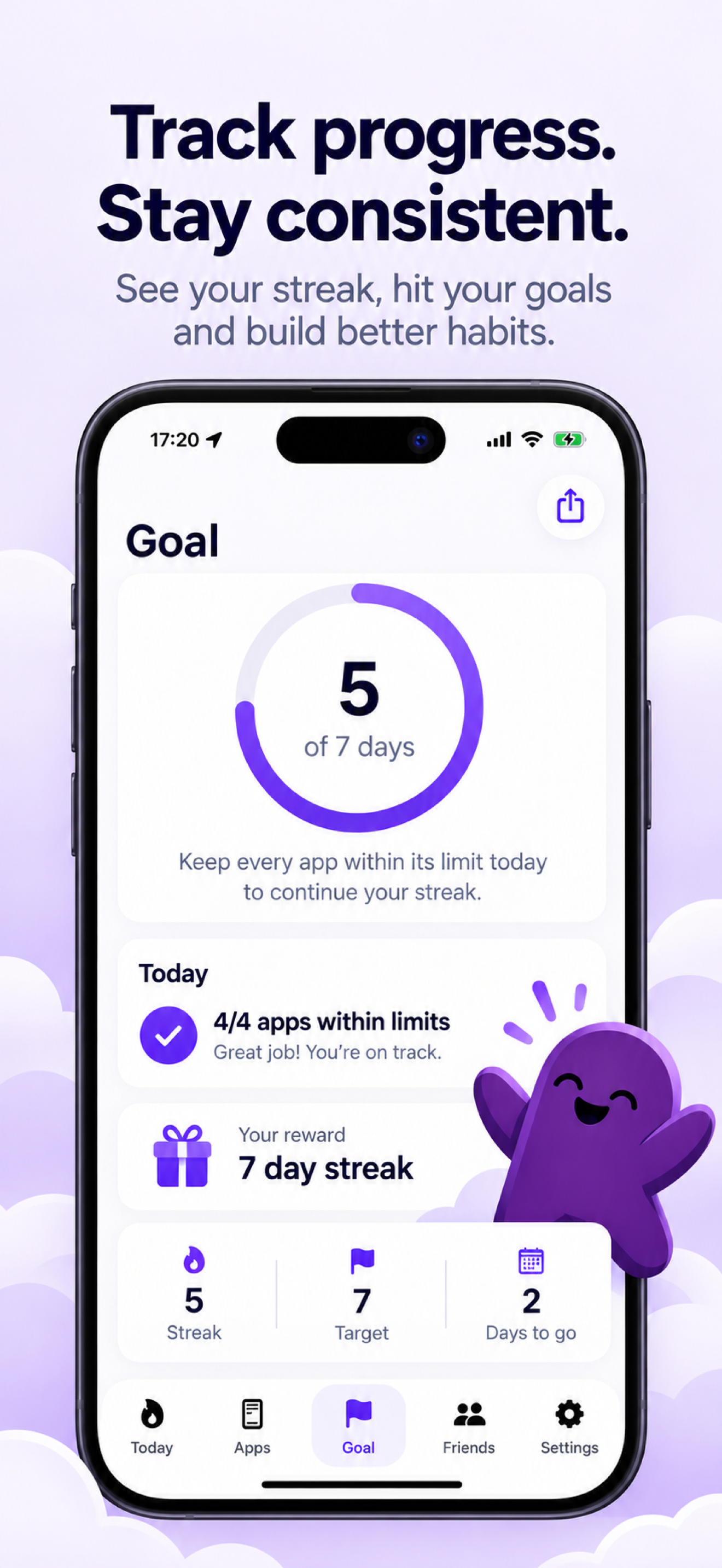
Stay under every limit, on every enabled app, and the day counts. Break one and the streak resets. One clear rule, no partial credit.
Pick a target run — two weeks, six weeks — and name the reward you'll give yourself. ScreenTame tells you the day you've earned it.
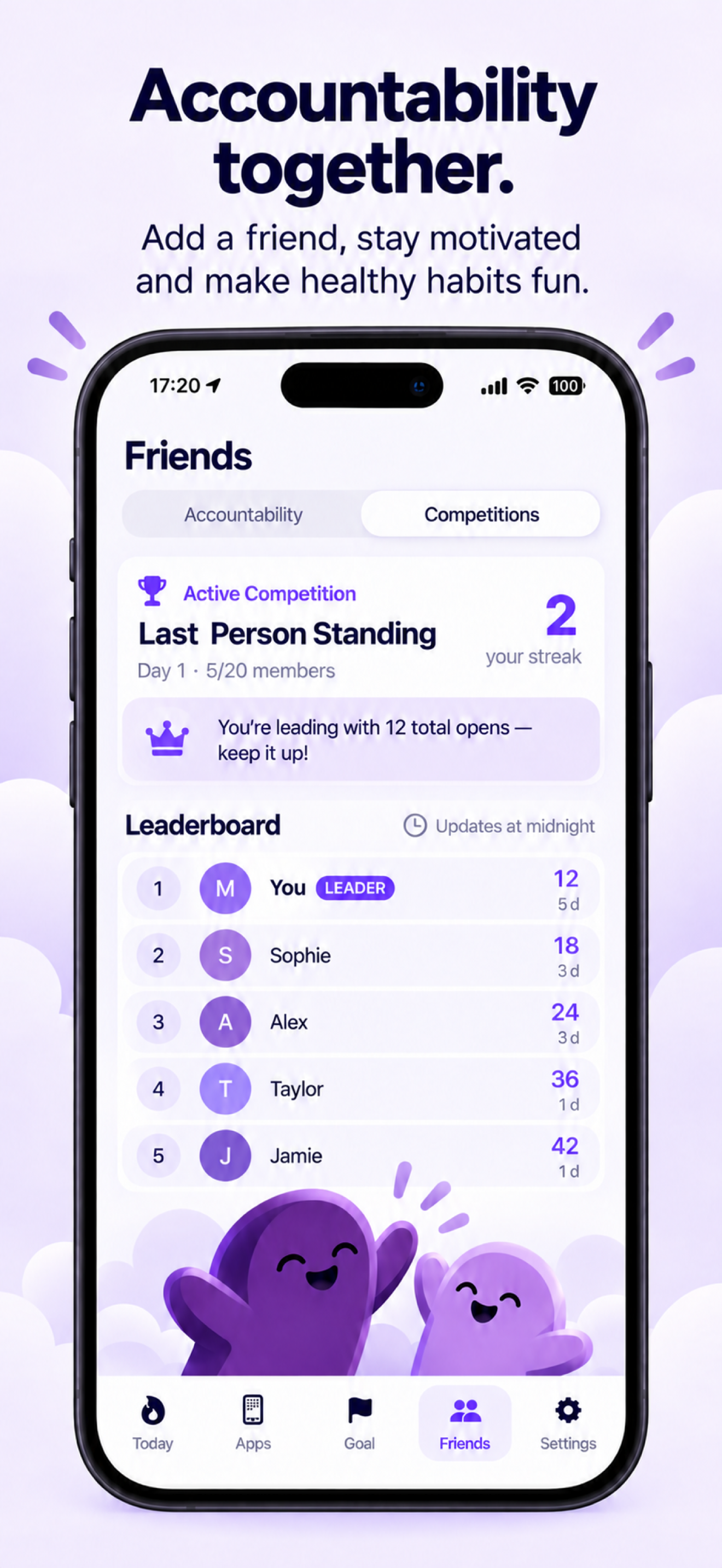
Share a code with a friend and you can each see the other's streak. Knowing someone will notice is the oldest habit trick there is.
The host sets the apps, the open limits and the session length, so everyone plays by the same rules. Competition limits override your personal ones while it runs.
How it works
Setup takes a couple of minutes. After that ScreenTame runs quietly in the background.
Pick the ones that actually cost you time. Apple's Screen Time picker keeps your choices private — even ScreenTame only ever sees an opaque token, never a list of what's on your phone.
Opens per day and minutes per session, per app. Start generous. You can always tighten later — though loosening a limit does end that day's streak.
Stay inside your limits and the day counts. Miss one and you start again tomorrow. That's the whole game.
Tracked apps
Instagram and your banking app should not share a budget. ScreenTame keeps a separate allowance for each app you track, so a heavy afternoon on one doesn't quietly spend the other's.
Toggle any app off when you genuinely need it — a confirmation tells you plainly that doing so ends today's streak, so it's never a surprise.
Privacy
There is no ScreenTame account, no analytics and no advertising. The numbers that would actually embarrass you — how often you open things, how long you stay, every limit you've set — are written to your device and stay there.
The full detail, including what the social features store and how to have it deleted, is in the Privacy Policy.
Questions
Yes. ScreenTame is a tool for people who want the friction, not a lock you can't escape. It's deliberately not designed to trap anyone — if you no longer want it, uninstalling takes seconds and everything stored on your device goes with it.
No, and no third-party app can. iOS does not let outside apps read your overall screen time. ScreenTame reports on the apps you've chosen to track, which is the number you can actually act on anyway.
While a competition runs, its limits take over from your personal ones for the apps it covers. If the competition is stricter than your own settings, meeting it also keeps your personal streak intact.
Yes — free, with every feature included. There's an optional tip jar if you'd like to support development, and that's the whole business model.
iPhone only — there is no iPad or Android version. It relies on Apple's Family Controls and Device Activity frameworks, which is also why setup asks for Screen Time permission. The App Store listing shows the exact iOS version required.